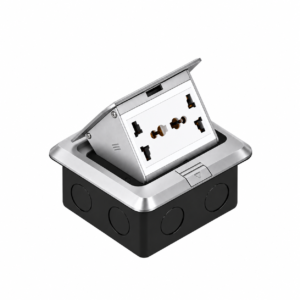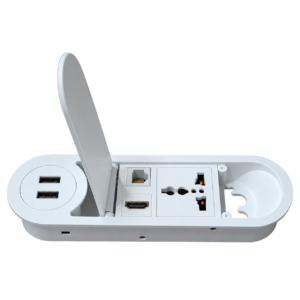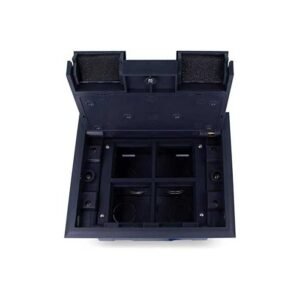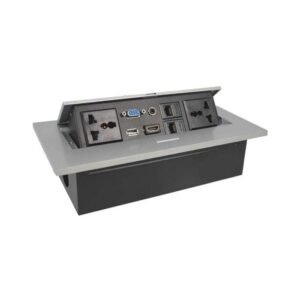
Hidden motorized electric flip up workstation socket

₨ 25,000

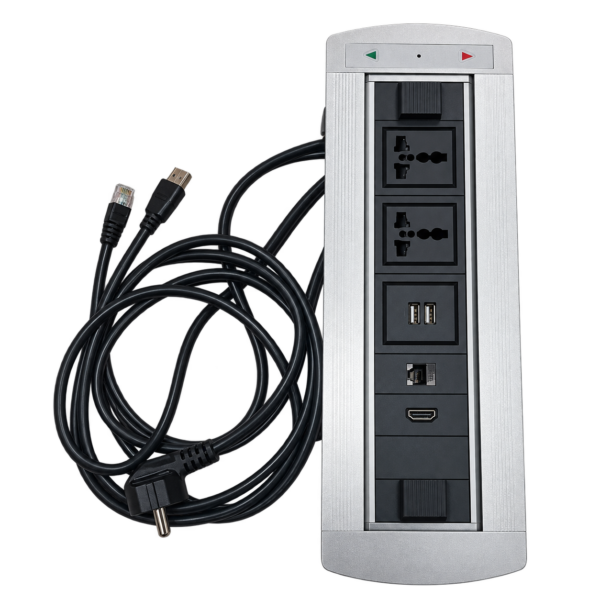
  • Motorized 180° rotation – push-button operation automatically rotates the socket panel open and closed
  • Touch/press-button control – simple open/close operation with directional indicator lights
  • Dual universal power outlets – compatible with multiple plug types and standard voltage ranges
  • Dual USB charging ports – convenient charging for phones and small devices
  • HDMI port – direct laptop-to-display or projector connection
  • Network (LAN) port – wired ethernet connection for stable internet access
  • Pre-wired cable design – comes with 5 feet ready-to-connect power cord and network cable
  • Premium brushed aluminum finish – sleek, modern look with durable metal construction
  • No manual lifting or flipping – fully automated access, ideal for frequent daily use

Experience the next level of desk convenience with the CurtZee Motorized Rotating Power Socket — a smart, automated power and connectivity unit that opens with a simple button press. Unlike manual pop-up or flip-lid sockets, this model features a built-in motor that rotates the socket panel a full 180 degrees at the touch of a button, revealing power outlets, USB ports, HDMI, and a network (LAN) port, then rotating back to a closed, concealed position when done.

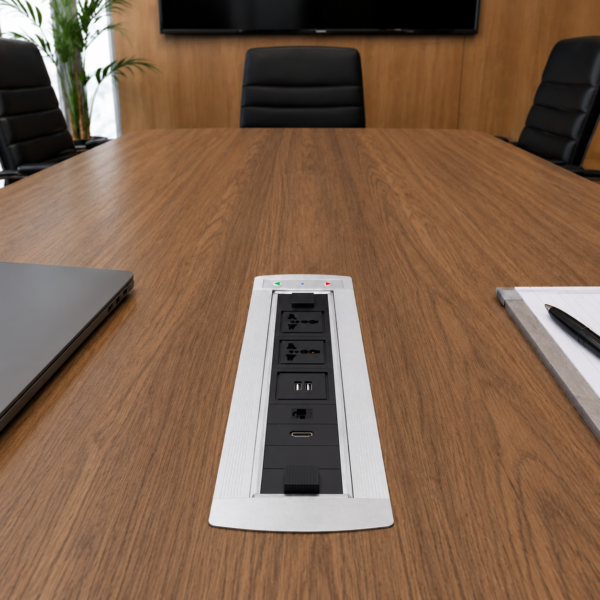
Designed for modern offices, executive desks, and conference tables, this motorized unit combines a premium brushed-aluminum finish with genuinely smart functionality — no manual lifting, flipping, or sliding required. The intuitive control button (with directional indicators) lets users open and close the unit smoothly and repeatedly, making it ideal for high-use environments like meeting rooms, reception desks, and shared workstations where ease of use matters.

The unit comes pre-wired with a ready-to-use power cable and network cable, simplifying setup — just connect and place on your desk or table.

Ideal For
Executive desks and premium office workstations
Conference rooms and boardrooms
Reception desks and front-of-house counters
Smart/modern office fit-outs
Co-working spaces and shared meeting table

Product Specifications

Material Aluminium alloy
Configuration 2 x Universal Power Sockets
2 x USB Chargers (Type-A + Type-C)
1 x Network Port (RJ45)
1 x HDMI Port
Product Size 11 x 3.9 x 1.2 inches
Cutout Size 10.6 x 2.8 inches
Rated Voltage 110V – 250V
Rated Current 10A

Reviews

There are no reviews yet.

Be the first to review “Hidden motorized electric flip up workstation socket”

Your email address will not be published. Required fields are marked *

FAQs

1. How does the motorized rotation work?
Simply press the button on the top panel, and the built-in motor automatically rotates the socket panel 180 degrees to reveal the power outlets, USB ports, HDMI, and network port. Press again to rotate it back to the closed position — no manual lifting or flipping required.
2. What do the arrow indicators on the button mean?
The left and right arrows typically control the direction of rotation (open/close)
3. Does the unit need a separate power source to operate the motor?
Yes, the motorized mechanism requires connection to a power supply (via the pre-wired power cable) to function. Without power connected, the rotation feature will not operate.
4. How many devices can I connect at once?
It offers 2 universal power outlets, 2 USB charging ports, 1 HDMI port, and 1 network (LAN) port — allowing you to power multiple devices, charge phones, connect a display, and access wired internet simultaneously.
5. How durable is the motor for daily office use?
It's designed for regular daily use in office and conference room environments. As with any motorized mechanism, avoid excessive force, obstruction of the rotating panel, or repeated rapid button presses, which can reduce the motor's lifespan over time.
6. Does the HDMI/USB/network connection stay active while the panel is rotating?
No — devices should be connected only once the panel has fully rotated open and outlets are accessible. Avoid plugging in or unplugging cables during the rotation cycle.
7. Is this suitable for high-traffic areas like reception desks or shared meeting tables?
Yes, its push-button, no-touch-required design makes it convenient for frequent daily use by multiple people, such as reception counters, boardrooms, and shared workstations.
8. How do I clean and maintain the unit, especially around the moving parts?
Wipe the aluminum casing with a soft, dry cloth. Avoid spraying cleaners directly near the rotating mechanism or button panel — moisture can affect the motor and electronic components over time.
9. Is it compatible with international/universal plug types?
Yes, the power outlets are universal, designed to accept multiple plug standards, making it suitable for offices with international staff or mixed-device environments.